
Download and install linktogel
We provide three installation paths: Android APK download, iOS browser access, and web app. Choose the method that suits your device and preferences. All three paths connect to the same linktogel account, so your balance, bets, and transaction history remain synchronized.
Android APK Installation
Android users can download our APK file directly from linktogel. The APK installs like any other Android app. Before installation, enable "Unknown sources" in your device settings (Settings → Security → Unknown sources). This allows your phone to install apps from sources other than the Google Play Store. After enabling, download the linktogel APK, tap the file, and follow the on-screen prompts. Installation takes less than one minute.
Once installed, open linktogel and log in with your username and password. If you don't have an account yet, tap "Open an account" and complete the registration form. We'll send a verification code to your email. Enter the code, provide your KYC documents (ID card or passport), and confirm your payment method. After verification, your account is active and you can deposit via DANA, e-wallet, mobile banking, local payment, online payment, e-wallet, or bank transfer.
The Android app runs faster than the browser version because it caches game data locally. Push notifications arrive instantly when matches start or live-dealer tables open. You can customize notification settings in your account preferences to receive alerts only for sports or games you follow.
iOS Browser Access
iOS users access linktogel through Safari or Chrome. Open your browser, navigate to linktogel.bet, and log in with your username and password. iOS does not allow direct APK installation, so we optimized linktogel for mobile browsers. The web app responds instantly to touch, loads games quickly, and stores your login session so you don't need to re-enter credentials every time.
To add linktogel to your home screen, open Safari, tap the Share button, and select "Add to Home Screen." This creates a shortcut that launches linktogel in full-screen mode, making it feel like a native app. You'll receive browser notifications for account alerts and match updates. Notification permissions are requested the first time you log in; you can enable or disable them in your browser settings.
iOS 12 and above are supported. Older devices may experience slower performance or missing features. We recommend updating to the latest iOS version for the best experience. Your account data syncs across all your Apple devices, so you can switch between iPhone and iPad without losing your session.
Web App on Desktop
Desktop users access linktogel through any modern browser: Chrome, Firefox, Safari, or Edge. Open linktogel.bet, log in, and start playing. The web app is fully responsive and works on screens of any size. Desktop offers the largest view of live-dealer tables and football odds, making it ideal for detailed analysis before placing bets.
Desktop sessions remain active for up to 24 hours, so you can close your browser and return later without re-logging in. We recommend logging out on shared computers for security. Two-factor authentication is available for all accounts; enable it in your account settings to add an extra layer of protection.
Desktop performance is typically faster than mobile because your computer has more processing power. Live-dealer streams load in high definition, and game graphics render smoothly. You can deposit and withdraw using the same payment methods available on mobile: mobile banking, local payment, online payment, e-wallet, mobile banking, local payment, online payment, e-wallet, mobile banking, and local payment.
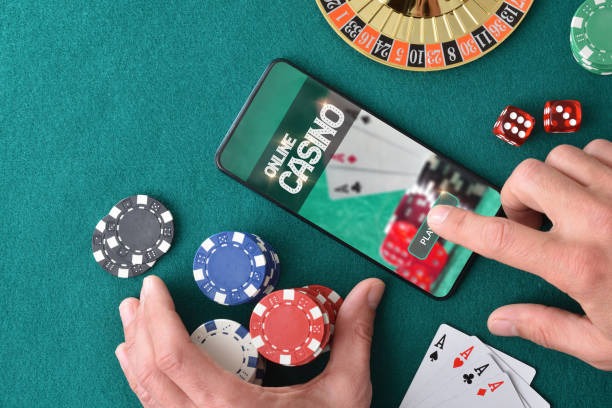
Installation Steps
- Download: Android users download the APK from linktogel; iOS users open Safari and navigate to linktogel.bet.
- Install: Android users enable Unknown sources and tap the APK file; iOS users add linktogel to their home screen.
- Register: Open linktogel, tap "Open an account," and complete the registration form with your email, username, password, and mobile number.
- Verify: Enter the verification code sent to your email, upload your KYC documents, and confirm your payment method.
- Deposit: Once verified, deposit via online payment, e-wallet, mobile banking, local payment, online payment, e-wallet, or bank transfer, and start playing.
We designed linktogel for mobile-first users. Fast load times, offline access, and push notifications make the app experience seamless across Android, iOS, and desktop.
App vs. Browser: Key Differences
The linktogel app and web browser offer the same games, odds, and payment methods, but with different strengths. The app caches game data locally, so it loads faster and works offline for account viewing. Push notifications arrive instantly on your phone, alerting you to Liga 1 matches, Piala Indonesia fixtures, and live-dealer table openings. The app also uses less data than the browser because it compresses images and video streams. Battery usage is optimized; the app runs efficiently even on older phones.
The browser version offers a larger screen on desktop, making it easier to compare odds and analyze match statistics. Desktop browsers support multiple tabs, so you can monitor several matches simultaneously. Browser sessions are easier to manage on shared computers because you can log out without uninstalling anything. Both the app and browser encrypt your data with the same security protocols, so your account is equally protected on either platform.
Device Compatibility
We support Android 7 and above on phones and tablets. Older Android versions may not run linktogel or may experience crashes. We recommend updating to Android 10 or later for optimal performance. iOS users need iOS 12 or above; we recommend iOS 15 or later. Both Android and iOS devices need at least 100 MB of free storage for the app. Internet connection is required for all features; offline mode allows you to view your account balance and transaction history only.
Common Installation Issues
If the Android APK won't install, check that "Unknown sources" is enabled in your device settings. Some phones block APK installation by default for security. Go to Settings → Security → Unknown sources and toggle it on. If you see a certificate warning, this is normal; tap "Install anyway" to proceed. The linktogel APK is signed with our security certificate, so it's safe to install. If installation still fails, try clearing your browser cache and downloading the APK again. For iOS users, if Safari won't add linktogel to your home screen, try using Chrome instead. If notifications aren't arriving, check your browser or phone notification settings and ensure linktogel has permission to send alerts.

Data, Permissions, and Account Security
linktogel requests permission to access your phone's camera (for KYC document upload), microphone (for live-dealer chat), and location (to verify you're in a supported jurisdiction). We never use your camera or microphone without your explicit consent. Location data is used only to check that you're not accessing linktogel from a prohibited jurisdiction; we don't track your movements or share your location with third parties. All data transmitted between your phone and our servers is encrypted with TLS 1.3, the same protocol used by banks. Your password is never stored on your phone; we store only an encrypted session token. If you lose your phone, log in to linktogel on another device and change your password immediately. Your account will be locked on the lost phone within 24 hours. Enable two-factor authentication in your account settings for additional security.